
Cloud Based HR Software
Running recruitment in one tool, employee records in another, and payroll somewhere else can create repeated data entry, missing context, and extra checking between teams.
RecruitPro Enterprise brings RecruitPro, Core HR and Payroll into one web-based platform, so the employee journey can continue from hiring to employee management and payroll without starting over in a separate system.
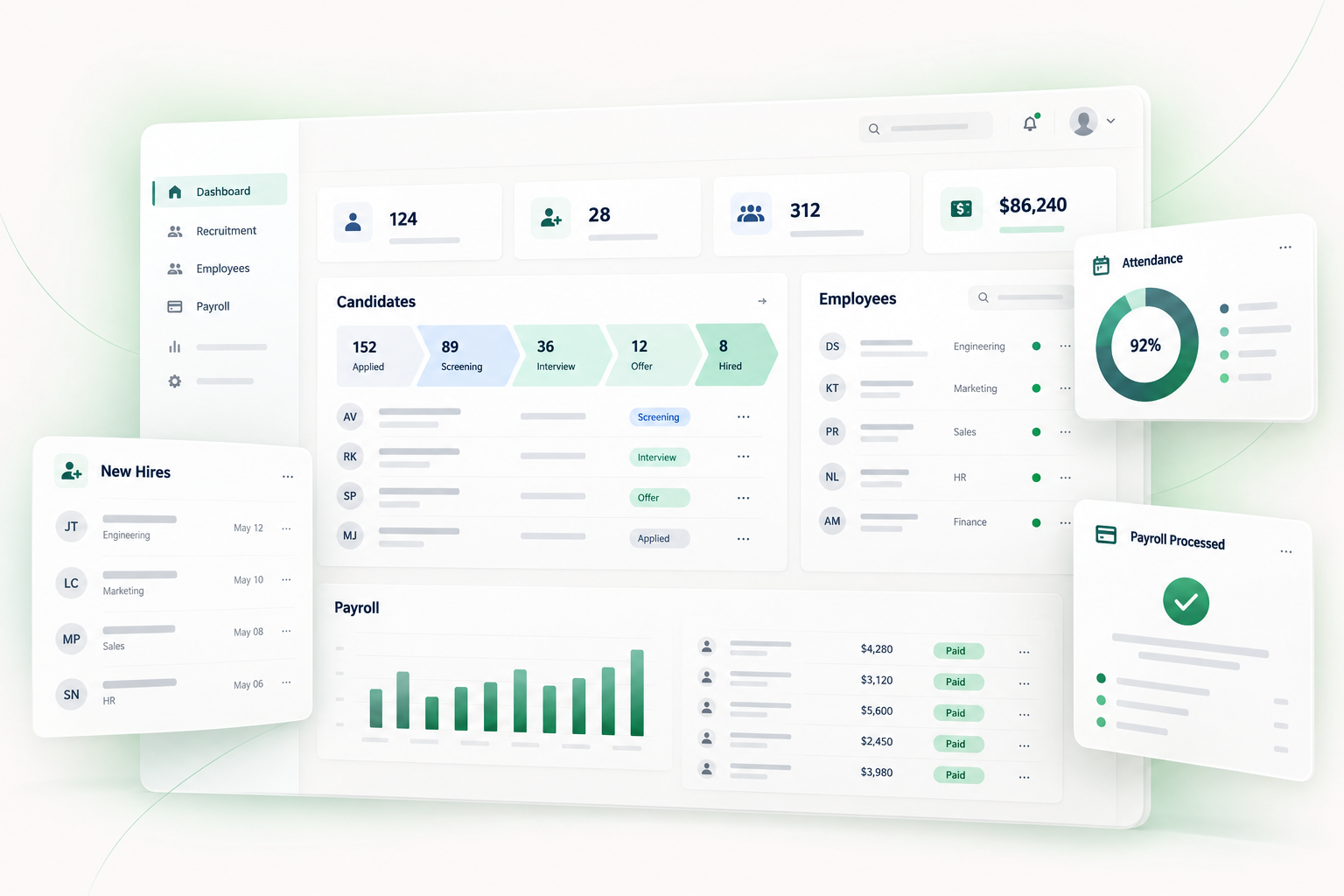
RecruitPro Enterprise connects recruitment, employee management and payroll within one broader cloud HR environment while allowing the modules to operate independently.

A Web-Based HR Platform With Connected Employee Data
Cloud based HR software gives businesses a web-based system for managing HR processes without keeping core employee information scattered across local files, disconnected tools and separate department workflows.
RecruitPro Enterprise is built as a web-based, multi-company SaaS platform. Recruitment through RecruitPro, day-to-day employee management through Core HR, and salary processing through Payroll are brought into the same broader environment.
RecruitPro
Recruitment and applicant tracking for the hiring journey.
Core HR
Day-to-day employee management inside the HR environment.
Payroll
Salary processing within the wider connected platform.
One Employee Journey Instead of Three Software Journeys
Recruitment, employee management and payroll are often handled as separate software decisions. RecruitPro Enterprise connects these stages within one broader platform so the employee journey can continue without recreating the same person at every stage.
RecruitPro
Manage the hiring journey through jobs, applications, assessments, interviews, offers and onboarding activities.
Payroll
When Payroll is also being used, the wider platform continues into salary structures, salary processing, paid leave, LOP and payslips.
Keep Recruitment, HR and Payroll Connected
Using separate tools for recruitment, employee management and payroll can mean moving information between systems and checking the same employee details more than once. RecruitPro Enterprise takes a connected platform approach.
Workflow
The wider platform is designed around a connected employee journey rather than repeatedly recreating the same person.
A selected candidate can continue from RecruitPro into an employee record in Core HR.
Modules remain distinct where required, including access controls around sensitive payroll information.
One Shared HR Environment Instead of Another Attendance Silo
Calling software cloud-based is only useful when it improves the way HR information is managed. The practical benefit is keeping attendance within the same web-based environment used for employee records, leave, shifts, holiday calendars and related HR work.
Employee Context
Attendance remains part of the employee record instead of becoming another isolated file or export.
Role-Based Access
Different authorised users can work within the wider system while access controls separate what each user can see or manage.
Connected HR Work
HR teams can work with attendance alongside employee records, leave, shifts and holiday calendars.
Less File Switching
Attendance stays within a live employee system instead of becoming another file that needs to be copied and reconciled.
Keep Attendance, Leave and Employee Information Together
Attendance is only one part of day-to-day HR management. RecruitPro Enterprise places attendance inside Core HR alongside employee records, leave, shifts, holiday calendars and related employee information.
Turn attendance records into a clearer HR view.
Attendance information becomes more useful when HR teams can review it through employee context and supported status classifications instead of working only with raw punch records. RecruitPro Enterprise provides attendance reporting within the broader Core HR environment.
Daily Review
Investigate attendance information for an individual working day when a record needs attention.
Summary Reporting
Review attendance across a broader period rather than checking records one by one.
Employee Context
Interpret attendance alongside the employee information maintained within Core HR.
Attendance, in context. A structured view of your reporting options
CORE HRReview records classified as present.
Identify records requiring an absence review.
Read attendance with leave status in view.
Keep holiday classifications in context.
Review attendance within the broader Core HR environment.
Reporting overview shown for illustration.
Review the day. Understand the wider picture.
Use daily, summary and date-range reporting according to the information your HR team needs.
Move From Attendance Data Toward Payroll Processing
When Core HR and Payroll are used together, attendance and leave information can support salary processing. RecruitPro Enterprise brings these related workflows into the wider platform while keeping sensitive payroll access controlled.
Payroll Processing
Salary processing takes relevant employee, attendance and leave information into account.
Different HR Roles, One Connected Attendance Workspace
Attendance touches different teams for different reasons. RecruitPro Enterprise keeps these responsibilities inside one platform while role-based access controls help ensure that users work only with the areas relevant to their responsibilities.
Attendance, leave, shifts, holiday settings and related employee workflows can be managed inside the wider Core HR environment.
HR Admin / HR Manager
May review attendance records, handle leave, assign shifts, work with Holiday Groups and check attendance reports.
HR OperationsCompany Admin
Can manage wider company settings and access within the platform according to assigned responsibilities.
Company AdministrationPayroll Manager
Becomes involved further downstream where paid leave, LOP, joining or leaving dates and payroll-cycle rules matter.
PayrollEmployee
Uses employee-facing Core HR areas such as My Profile, Employee Dashboard and leave workflows.
Employee Self-ServiceSuper Admin
For organisations operating multiple companies, Super Admins can work at the wider platform level.
Platform LevelMove From One Attendance Day to the Bigger Picture
RecruitPro Enterprise helps HR teams review attendance at different levels instead of looking at isolated punch records. Attendance Status Reports support daily, summary and date-range views across 13 attendance categories.
Investigate a specific working day when an attendance record needs attention.
Review attendance across a selected period when a broader picture is required.
Role-specific dashboards can use widgets and chart-based visualisations.
Attendance reports can be generated as downloadable PDF documents.
Review an individual working day when an employee record needs investigation.
Step back from one day and review attendance across a selected period.
More Than an Attendance Tool
Attendance works best when it is connected to the employee and payroll processes around it. RecruitPro Enterprise brings Recruitment, Core HR and Payroll together, with attendance operating as part of the wider Core HR workflow.
RecruitPro
The recruitment side of the platform helps organisations manage hiring-related workflows before employees move into ongoing HR operations.
Payroll
Payroll uses relevant employee, attendance and leave information as part of the salary-processing workflow.
Why Attendance Management Becomes Difficult as Teams Grow
Attendance may look simple when every employee follows the same schedule. In a growing organisation, different shifts, holidays, leave situations, incomplete punches and multiple attendance sources can make everyday HR administration considerably more involved.
Incomplete Attendance Records
A missing punch or incomplete attendance record can require HR teams to investigate what happened before the day's attendance status can be finalised.
Different Shifts & Working Patterns
Employees may work according to different shift schedules, making a single attendance rule difficult to apply across the entire workforce.
Weekly-Offs & Holidays
Attendance records need to be understood in the context of scheduled weekly offs and applicable holiday calendars rather than viewed as isolated punch events.
Too Much Manual Review
When attendance information is spread across different sources or reviewed manually, HR teams can spend more time checking records and preparing reports.
Bring Attendance Into a Structured Core HR Workflow
RecruitPro Enterprise provides attendance, leave, shifts, holidays, employee information and reporting within the wider Core HR environment.
Questions HR Teams Ask Before Choosing Attendance Software
Choosing an attendance management system usually starts with practical questions: how attendance is entered, how shifts and holidays are handled, how leave fits into the process, and whether attendance information can support payroll.
Explore practical answers about attendance records, shifts, leave, biometric imports, reporting and payroll-connected workflows.
What are cloud-based time and attendance systems? +
Cloud-based time and attendance software gives HR teams a central web-based place to manage attendance records, rather than keeping important attendance information scattered across different files and systems. RecruitPro Enterprise manages attendance within its Core HR environment alongside employee records, leave, shifts and holiday calendars.
What does time and attendance software help manage? +
Time and attendance software helps HR manage attendance records, shifts, holidays, leave, biometric imports and attendance reporting from one system.
How is a time and attendance management system different from a spreadsheet? +
A time and attendance management system connects attendance with shifts, holidays, leave and employee status, giving HR more context than a basic spreadsheet.
Is RecruitPro suitable for small businesses? +
Yes. RecruitPro Enterprise can work for growing companies looking for a more structured time and attendance system than manual spreadsheets.
What does the attendance management system include? +
The attendance management system includes manual entry, bulk upload, biometric import, shift assignment, Holiday Groups, single-punch resolution and attendance reports.
How does the attendance system handle leave? +
The attendance management workflow works alongside leave balances and leave requests, allowing HR to review attendance and leave within the same Core HR environment.
Does RecruitPro support biometric attendance software? +
Yes. RecruitPro supports biometric attendance workflows through biometric device import, alongside manual attendance entry and bulk upload.
How does a biometric attendance workflow work? +
A supported biometric attendance workflow brings attendance data into Core HR, where it can be reviewed alongside shifts, holidays, leave and attendance statuses.
Can different teams follow different shifts and holiday calendars? +
Yes. Core HR supports shift types, shift assignment and Holiday Groups, allowing different employee groups to follow different working schedules and holiday calendars.
Can attendance data connect with payroll? +
Yes. RecruitPro Enterprise connects Core HR with Payroll, allowing attendance and leave information to support salary processing, LOP tracking and payroll calculations.