
HRMS Integrations That Connect Hiring, Communication, Attendance and Payroll Work
Your HR software does not work in isolation. Connect recruitment, communication, attendance and finance workflows through RecruitPro Enterprise.
Discuss Your Integration Requirements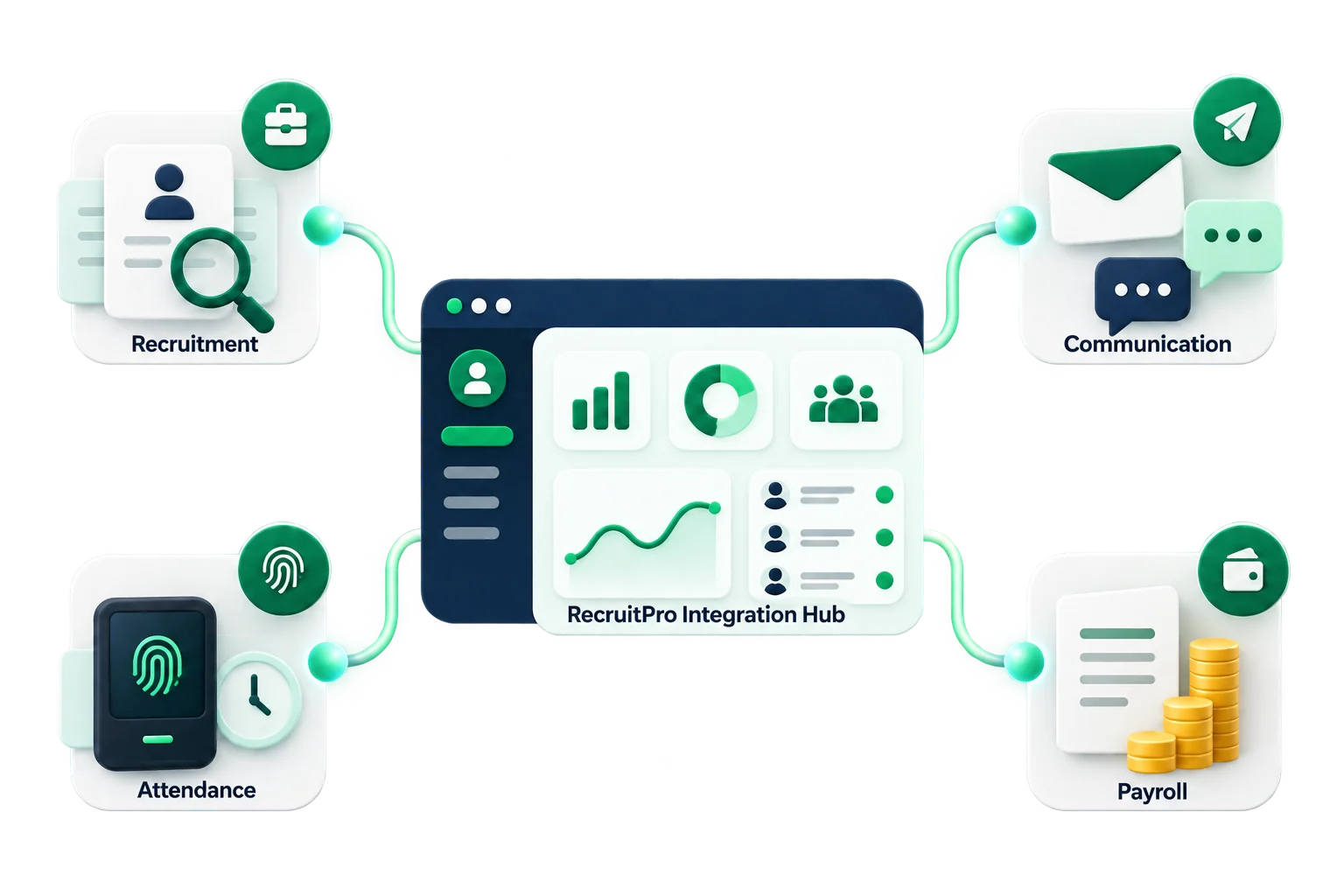
Choose the Business Task You Want to Connect
Bring essential HR operations together through flexible integrations designed around your existing business workflow.
Recruitment Publishing
Publish open roles through a confirmed Indeed XML job feed and support a more connected recruitment process.
Discuss integration ?Candidate Communication
Use Email, Gmail and WhatsApp communication workflows to keep candidate conversations organized.
Discuss integration ?Attendance
Import biometric attendance data into Core HR to support accurate and consistent employee records.
Discuss integration ?Payroll & Finance
Create HDFC INET and Tally XML outputs for smoother payroll processing and finance coordination.
Discuss integration ?Choose the Business Task You Want to Connect
Select the workflow that matters to your team. RecruitPro Enterprise helps connect hiring, communication, attendance and payroll operations without changing the way your people work.
Discuss Your RequirementsRecruitment Publishing
Publish open roles through a confirmed Indeed XML job feed.
Candidate Communication
Use Email, Gmail and WhatsApp communication workflows.
Attendance
Import biometric attendance data directly into Core HR.
Payroll & Finance
Create HDFC INET and Tally XML outputs for finance workflows.
Connected Operations
Reduce Manual Handoffs Between Teams
Move information smoothly from one business stage to the next through connected RecruitPro workflows.
Recruitment Workflow
Hiring JourneyPayroll Workflow
Finance FlowSee How Connections Fit the Three Modules
Each integration supports a specific RecruitPro module while keeping information connected across the wider HR workflow.
RecruitPro — Recruitment Connections
Indeed XML feed, Email and WhatsApp communication.
RecruitmentCore HR — Attendance Connection
Biometric attendance import with attendance rules.
Core HRPayroll — Finance Outputs
HDFC INET and Tally XML outputs after processing.
PayrollNot Every HRMS Integration Works in the Same Way
The word integration can describe several different technical arrangements. A logo on a software page does not automatically mean that two systems exchange every record instantly in both directions. RecruitPro Enterprise uses the connection method that suits the business task, including XML feeds, communication services, attendance imports and finance-ready files. Understanding the method before implementation helps your team set realistic expectations, prepare the right information and evaluate whether the connection fits the process you already follow.
Indeed XML Job Feed
RecruitPro can generate an XML feed containing information about open positions. The feed supports job syndication to Indeed, allowing recruitment teams to manage the role in RecruitPro instead of creating a completely separate job record only for that channel.
This is a feed-based publishing workflow rather than a direct Indeed API connection. It helps reduce repeated preparation when your team wants open roles to reach candidates beyond the company careers page.
Email, Gmail and WhatsApp
Candidate communication can remain closer to the recruitment workflow through email and WhatsApp options. Email may work through SMTP or Gmail API/OAuth2, while WhatsApp supports candidate messaging for suitable recruitment activities.
Recruiters can use customizable templates with placeholders for interview updates, reminders, offers and other stage-based messages. The Communication Log provides a clearer record of messages sent through the platform, helping teams track activity, resend information and review communication.
Biometric Attendance Data
Biometric attendance is handled through supported device or export-based data imports. Once the data is brought into Core HR, attendance processing can consider shifts, weekly offs, holidays and single-punch situations. HR teams can then review daily, summary and date-range attendance reports.
Compatibility should be checked against the device and export format your company currently uses. Confirm the actual setup and supported formats before planning implementation.
HDFC INET and Tally XML
After payroll is processed, Finance may still need structured information for salary payment and accounting work. RecruitPro Enterprise can generate an HDFC INET bank payment file for salary disbursement and a Tally XML journal voucher for accounting import.
These are downloadable file-generation workflows rather than live banking or accounting APIs. The outputs help Finance teams prepare the next stage of work without rebuilding the same payroll information manually.
Start With the Connection That Removes the Most Repeated Work
Your business does not need to implement every connection at the same time. Start with the activity that creates the most manual effort, repeated preparation or uncertainty for your team. This keeps the initial discussion focused and makes it easier to judge the value of the selected workflow.
If recruiters spend time publishing roles and sending the same updates, begin with recruitment and communication. If HR regularly cleans attendance exports, begin with biometric import. If Payroll and Finance recreate salary data after every cycle, focus on HDFC INET or Tally XML outputs.
Recruitment publishing
Choose the Indeed XML feed when job publishing requires duplicate preparation or your team needs a clearer way to syndicate confirmed open roles.
Candidate communication
Choose Email, Gmail or WhatsApp when interview updates, reminders and offers take too much recruiter time or communication history is difficult to review.
Attendance operations
Choose biometric attendance import when HR repeatedly handles device exports and needs attendance rules, shifts, holidays and weekly offs applied in one process.
Payroll and finance
Choose HDFC INET or Tally XML outputs when processed payroll data is manually prepared again for salary payments or accounting records.
What to Prepare Before an Integration Discussion
Bring details about the tools your teams use today, how information is exported, who handles each stage and what final output is required. For recruitment, explain whether you need Indeed publishing, email, Gmail or WhatsApp communication. For attendance, identify the biometric device and available export format. For payroll, confirm whether Finance works with Tally and whether salary payments use HDFC INET.
These details help identify the appropriate feed, service, import or file-output method. Your business can begin with the workflow that matters now and review additional connections later.
A focused review also helps confirm which records are involved, how often the workflow is used and who needs access to the result. Agree on responsibilities, expected file formats and next steps before configuration begins.
Bring Your Current Workflow. We'll Check the Confirmed Fit.
Tell us what tools your team uses and discuss the right connection method for your recruitment, attendance and payroll operations.
Discuss Your Integration Setup